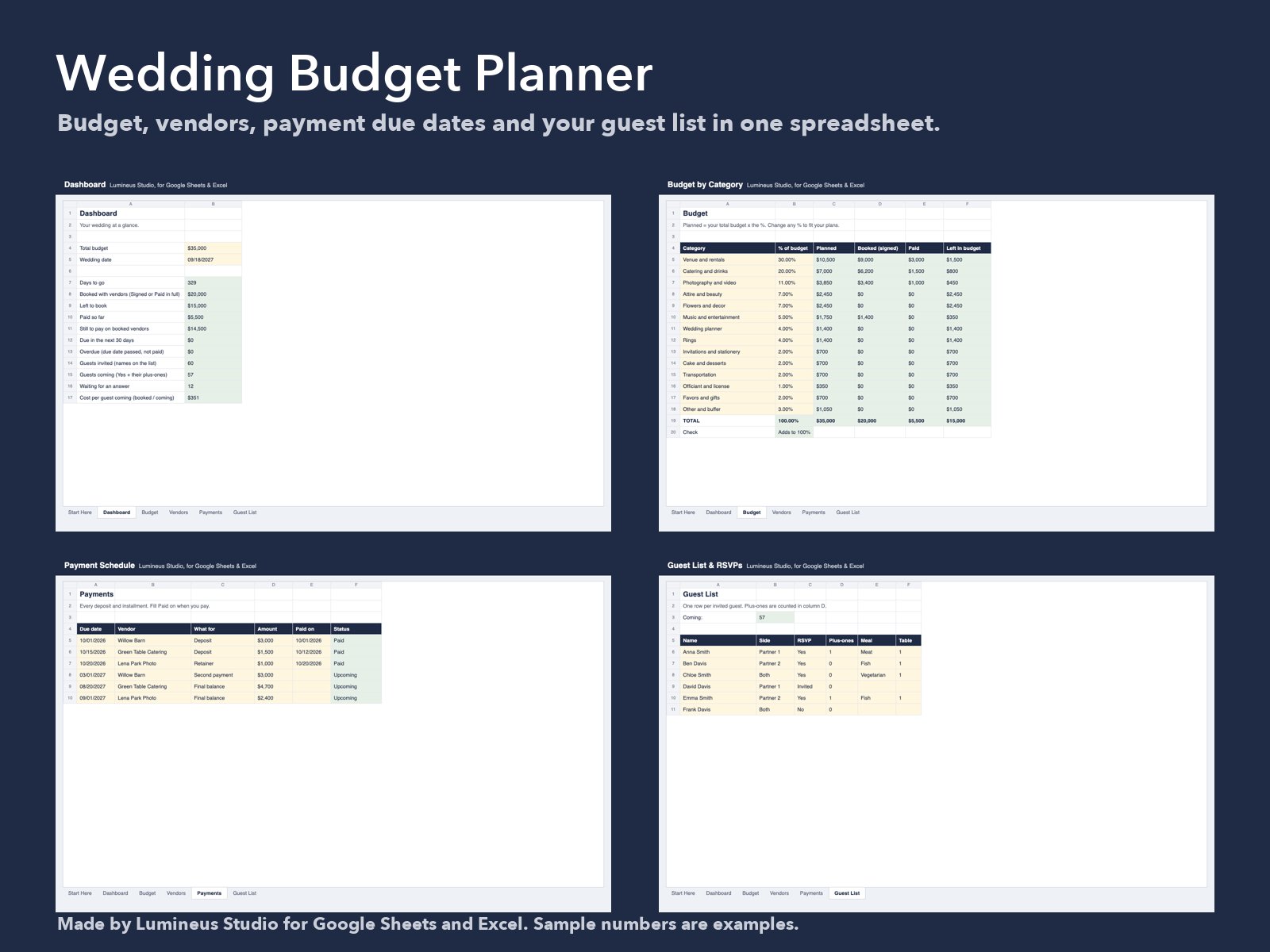
Enter your total budget and wedding date once. Add vendors as you book them and every deposit as you agree it. The dashboard then shows what is booked, what is paid, what is due in the next 30 days and what is overdue, and the guest list counts who is coming.
What is inside
- Dashboard: days to go, booked with vendors, paid so far, still to pay, due in the next 30 days, overdue, guests coming and cost per guest.
- Budget: 14 categories split by % of your total. Change any % and the planned amounts follow.
- Vendors: contact, status (idea, quote, signed, paid in full), contract total, paid and balance.
- Payments: each deposit and installment with its due date. Status shows Paid, Overdue, Due within 30 days or Upcoming.
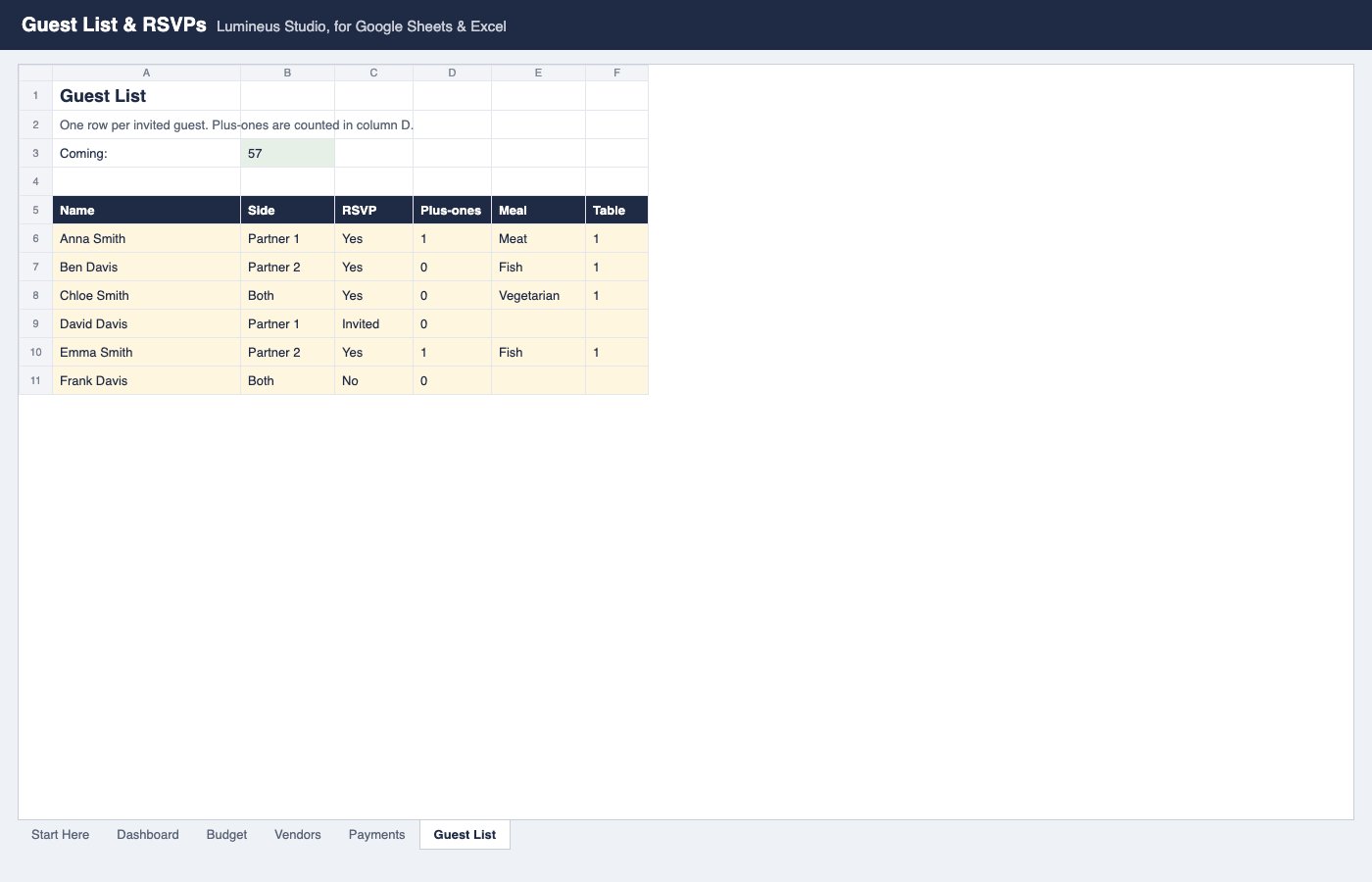
- Guest List: side, RSVP, plus-ones, meal choice, table, gift and thank-you note.
- A filled sample copy and a blank copy.
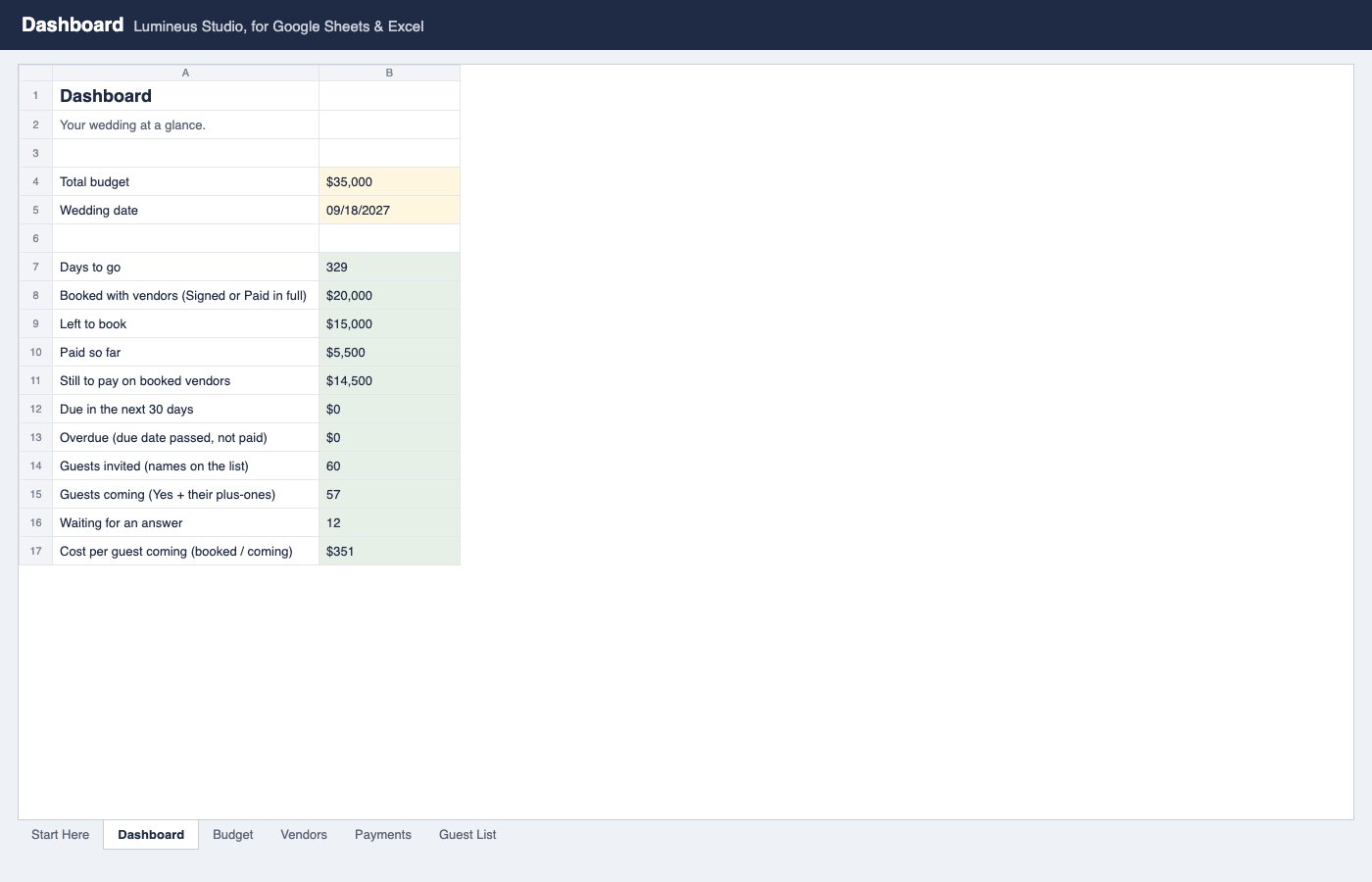
Dashboard
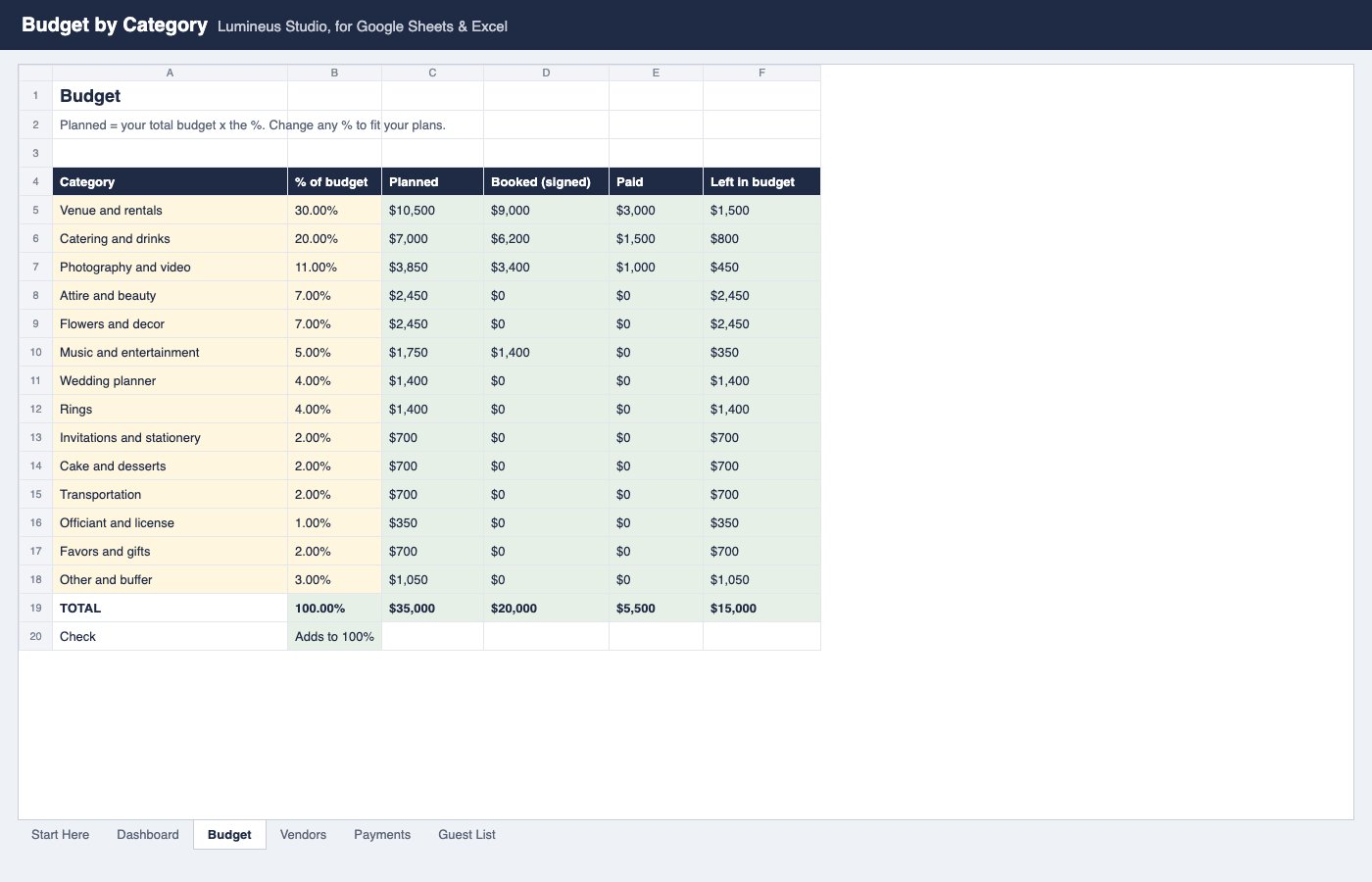
Budget by category
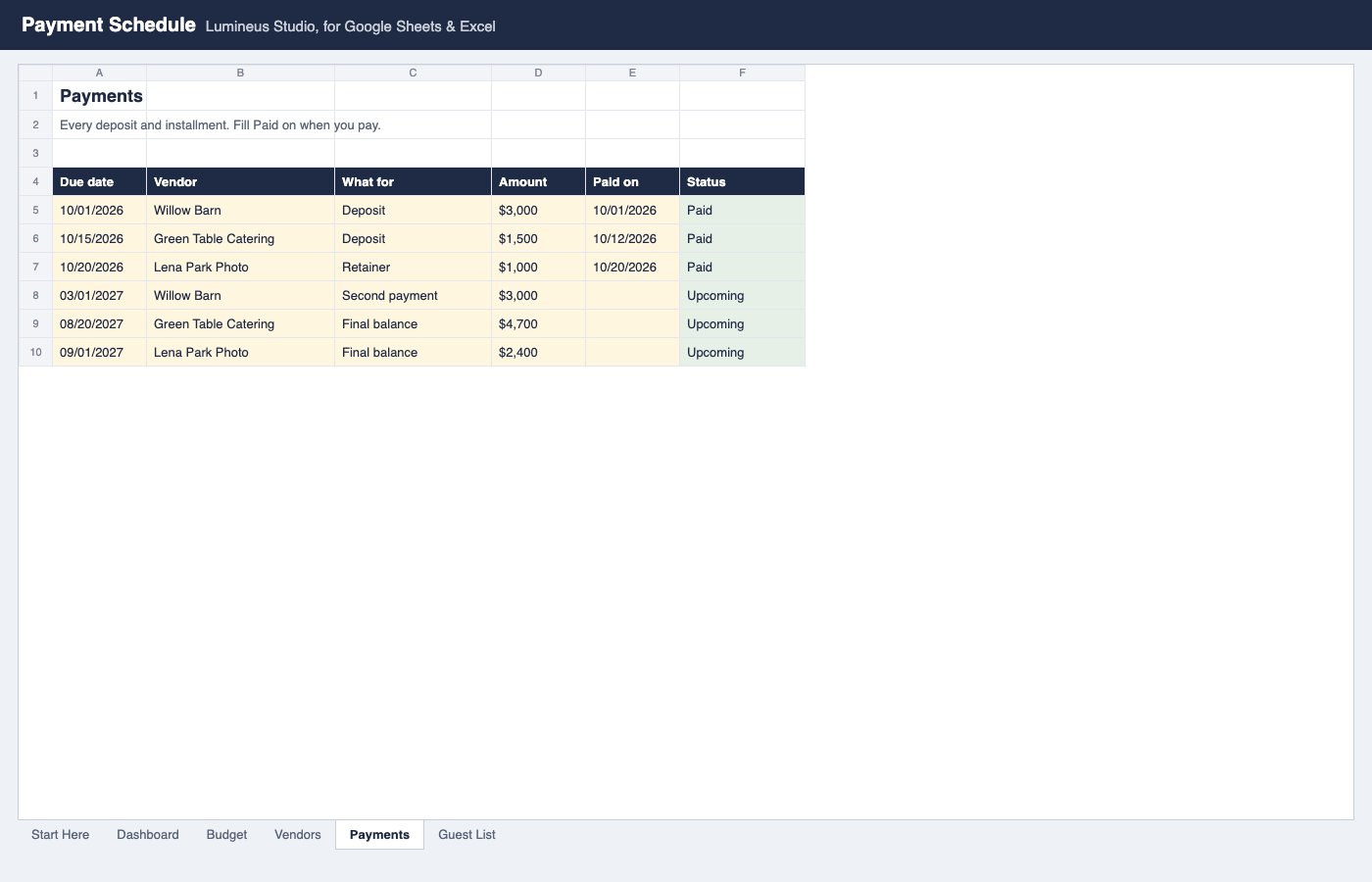
Payment schedule
Guest list
The screenshots show the sample copy. Sample prices are examples, not prices for your area.
The spreadsheet
$8
One payment, instant download of the sample and blank workbooks. Checkout is handled by Polar, our merchant of record. If it does not work for you, write within 14 days and we will refund it.
Get the spreadsheetSee the sample worked through step by step: how to split a wedding budget by category.
How to use: in Google Sheets choose File, Import, Upload and pick the .xlsx file, or open it in Excel. Cream cells are for typing; green cells calculate.
© Lumineus Studio. Write to [email protected] with questions. Privacy Terms